Guides
Colour, glow and light
The fluid carries colour as RGB dye plus a separate glow channel. Dye scatters and absorbs light, glow emits it, and the emission is measured on the GPU to drive a real point light in your scene.
#Colour inputs
Every color, colors, colorA, colorB and palette option takes any of these:
| Form | Example | Colour space |
|---|---|---|
| Array | [0.62, 0.3, 1.0] | Linear RGB. Values above 1 are allowed and read as HDR glow |
| Hex string | '#a66bff' | sRGB, converted to linear |
| Number | 0xa66bff | sRGB, converted to linear |
THREE.Color | new THREE.Color('#a66bff') | Its linear components |
Options are stored as linear arrays, so toJSON() and getParams() always print arrays. '#a66bff' and [0.62, 0.3, 1.0] are close but not the same colour.
#Recolouring at runtime
effect.setColor('#3dff8a');   // every dye colour of this effect
effect.setColor(null);        // back to its own palette
for (const e of magic.effects) e.setColor([1, 0.72, 0.22]);   // what the demo's Dye swatches do
The override replaces the dye colours (both portal rings, all the orbs, the ink drops, the force-field shell). For dragonBreath it also rebuilds the flame palette. Spark colours are separate options (sparks.colorA, sparks.colorB) and keep their values, except where an effect derives them from its dye colour: the dragon's embers and a generic emitter's default sparks.
Dye already in the fluid keeps its colour and advects on. New dye mixes with it, so a recolour blends in as the old dye fades or is carried away rather than snapping.
#Dye, density and absorption
The dye field is RGB density plus glow. rate or density on an effect is how much dye it adds per second, and physics.dissipation (times the dissipation control) is how fast it fades. physics.glowDissipation fades the glow on its own clock, so smoke can outlive its glow.
In the volume renderer:
| Param | Default | |
|---|---|---|
render.density | 2.6 | Extinction per unit dye density, times the density control |
render.densityPower | 1 | Above 1 sharpens soft edges |
render.colorAbsorption | 0.35 | 0 = grey extinction; 1 = dye absorbs its complement, like ink |
render.lightAbsorption | 2.2 | Self-shadow strength |
render.selfShadow | true | Shadowing toward the key light and the glow centroid |
render.detail | 1.4 | Noise displacement of the lookup, in cells at a 64 grid (scaled with the grid) |
render.edgeFade | 0.6 | Metres over which density fades toward the open sides and top |
colorAbsorption: 1 (ink): each drop absorbs its complementary colour0.35, in forceField: coloured, glowing smoke#Glow and emission
Glow is the part of the dye that emits. render.glow (9) scales dye glow into emission, render.flame (4.2) scales combustion, and the glow control multiplies both.
The volume itself is lit by a key light and an ambient term that you set in params.lighting:
| Param | Default | |
|---|---|---|
lighting.keyDirection | [-0.45, 0.75, -0.5] | Direction toward the key light |
lighting.keyColor | [0.16, 0.18, 0.3] | Linear, a dim moonlight |
lighting.ambient | [0.012, 0.012, 0.022] | |
lighting.phaseG | 0.45 | Henyey–Greenstein anisotropy: higher = more forward scattering |
lighting only lights the volume. Light your meshes yourself. The demo aims its moon light along lighting.keyDirection, so smoke and props agree.
#The glow light
Every third frame, the system reduces the fluid's emission on the GPU to one 32 × 16 texture and reads it back asynchronously with readRenderTargetPixelsAsync, so it doesn't stall the pipeline. The result drives magic.glow:
| Member | |
|---|---|
glow.light (also magic.glowLight) | A PointLight named MagicGlowLight, in your scene |
glow.position | The emission-weighted centroid. The light sits there, at least 0.6 m above the domain floor |
glow.color | The average emission colour, normalised |
glow.power | Integrated emission. The light's intensity is min(√power · 34, 380) · glow.intensity |
glow.intensity | Your gain on the light (default 1) |
glow.smoke | Integrated smoke density |
magic.glow.intensity = 0.5;             // half as bright on your scene
magic.glowLight.castShadow = false;     // or create with glowShadows: false
magic.setLightsEnabled(false);          // hide it and the spell orbs' lights
The same centroid and colour also light the volume from inside, with self-shadowing toward the centroid. The light's shadows need renderer.shadowMap.enabled = true. The shadow map is 512², with the shadow camera's far plane at 30 m.
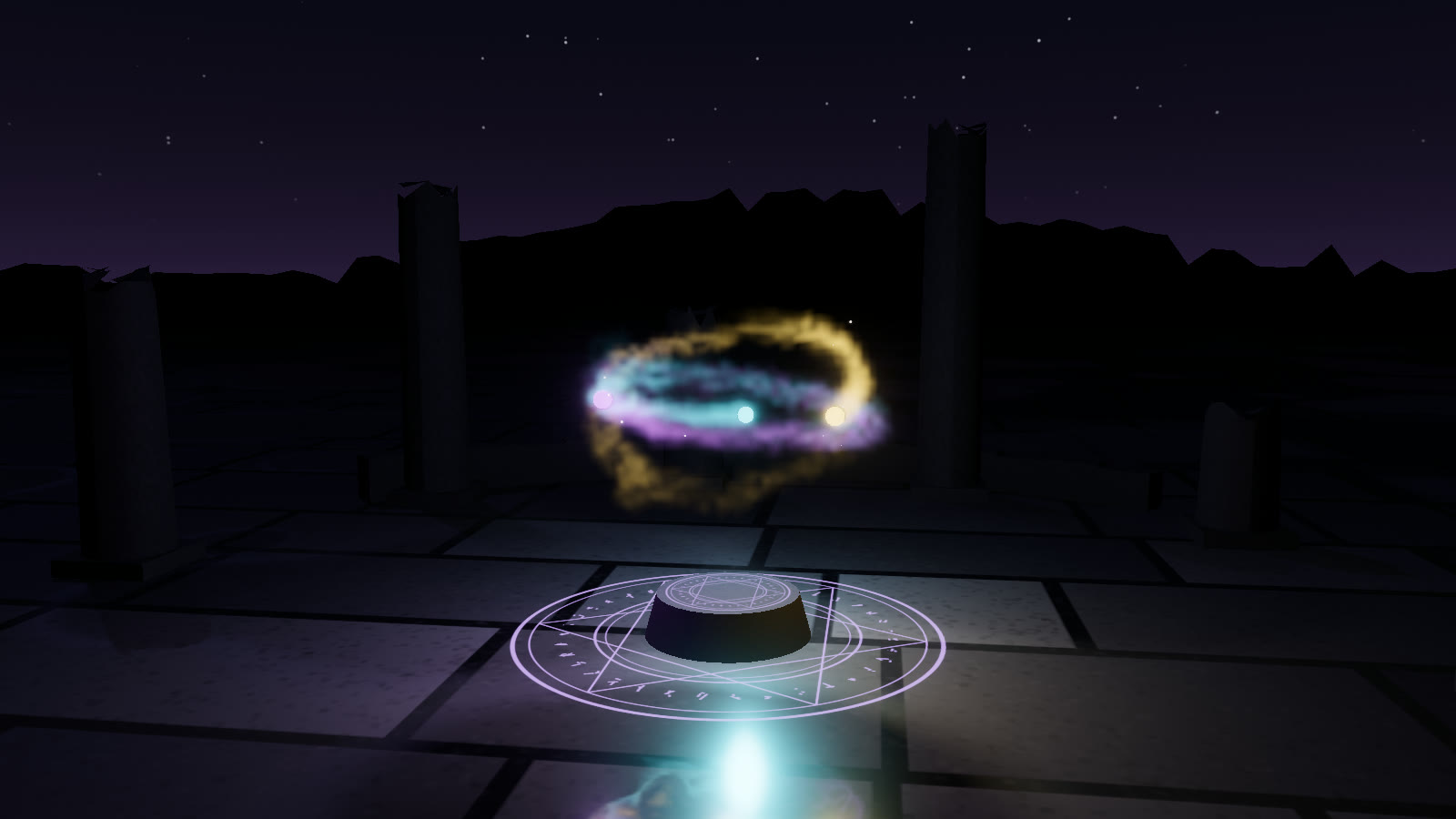
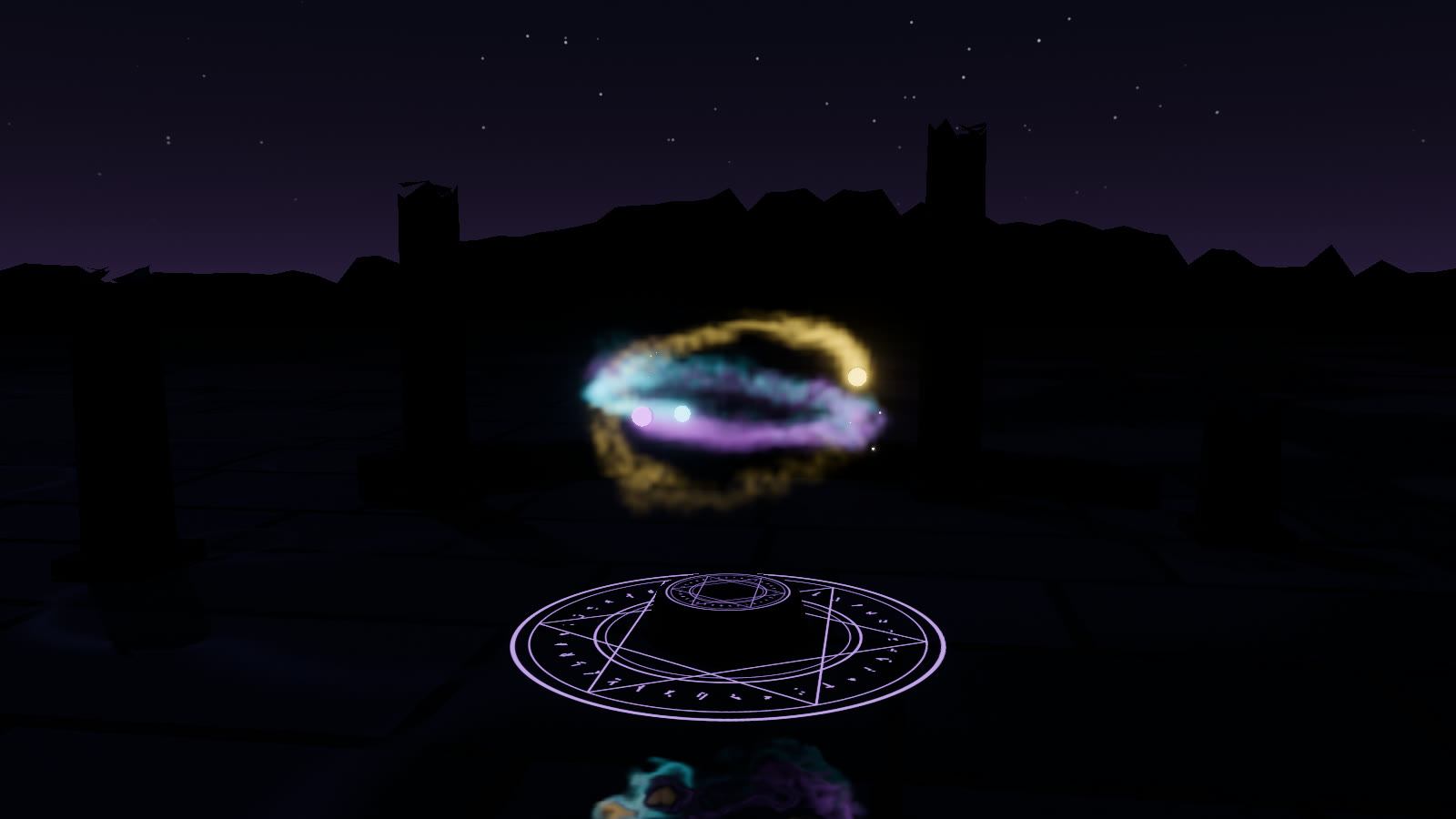
spellOrbs preset. The floor and the altar pick up the orbs' colours through these lights.#Reflections on the floor
render() reflects the volume on surfaces at the domain floor height whose colour alpha is below 1. patchReflectiveFloor() makes a MeshStandardMaterial or MeshPhysicalMaterial write that mask from its roughness:
const strength = patchReflectiveFloor(floorMat, { strength: 1, roughnessScale: 1.25 });
strength.value = 0.5;   // live
It writes alpha = 1 − strength · clamp(1 − roughness · roughnessScale, 0, 1), so glossy parts reflect and rough parts don't. The patch chains any existing onBeforeCompile. render.reflection (1) scales the reflection overall; the ink preset uses 0.35.
#The grade
render() and composite() finish with bloom and a grade, set in params.post:
| Param | Default | |
|---|---|---|
exposure | 1 | |
bloom, bloomThreshold, bloomKnee, bloomRadius | 0.5, 0.9, 0.5, 0.9 | Six-level bloom with a soft knee and a Karis-weighted first downsample, so single sparks don't flicker it |
huePreserve | 0.35 | Tone-maps the peak channel for bright colours, so a violet glow stays violet instead of going pink-white |
saturation, contrast, vignette | 1.05, 1, 0 | |
heatHaze | 0 | See Dragon breath |
temporal | 0.14 | Blend weight of the volume's temporal accumulation (0 = off) |
Dark scene tones keep standard ACES. The hue-preserving curve fades in only above a luminance of about 0.08.